
What actually matters in a photo management app
Strip away the marketing and there are really only five questions worth asking: does it import from wherever your photos currently are, does it hold up at tens of thousands of files, does it organize anything automatically, can you find a specific photo without scrolling for twenty minutes, and do you actually own the result. Most apps are fine on three of the five and quietly bad at the other two, usually ownership and scale, because those are the two that don't show up in a five-minute demo.
Here's how the apps people actually compare in 2026 stack up.
Pluto Photos: the local-first pick
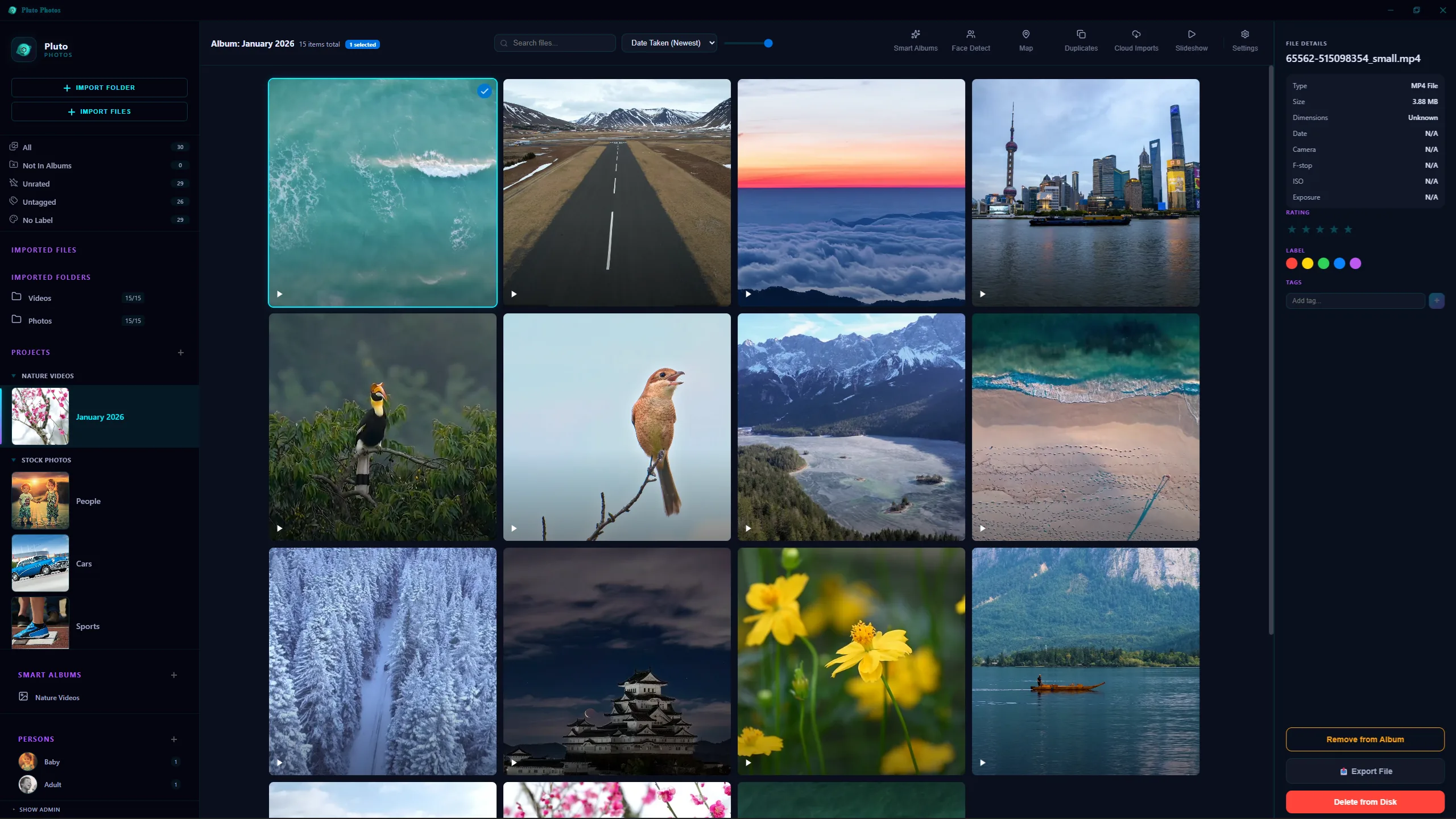
Pluto Photos is a desktop app for Windows, macOS and Linux that runs entirely on your machine, face detection, smart albums, plain-English search, a duplicate finder and a multi-clip video editor, all local. A built-in companion browser lets other devices on your network reach the library over the web without a cloud account in the middle.
It's free up to 500 photos, then $29 once for Pro. No monthly fee, ever. The trade-off is the one you'd expect from anything local-first: there's no cross-device cloud sync, because syncing to a server is the thing it deliberately doesn't do. Backups are your job, same as with any drive full of files.
Apple Photos: the path of least resistance if you're all-in on Apple
If your household already lives in iCloud and the ecosystem lock-in doesn't bother you, Apple Photos is genuinely the easy choice. Tight iOS/macOS integration, Memories, face recognition that's gotten quite good. Free up to 5 GB, then iCloud+ subscriptions from $1–$10 a month that climb as your library grows. It's noticeably weaker on Windows, and leaving it later is harder than joining it now.
Google Photos: fine until you want to leave
The default for most Android and Pixel owners, and its search is genuinely excellent, 15 GB free, then $2 a month and up from there. The catch is that every photo is analyzed on Google's servers, there's no real sense of owning your own library, and the Takeout export you'd use to leave is a mess of dated folders and JSON sidecars that most tools don't read correctly (we've written about fixing the dates that breaks).
Immich: for people who don't mind running a server
An open-source photo server you self-host on a NAS or home box, free, with real mobile sync apps and an active community behind it. The cost is Docker familiarity, there's no native desktop app, and updates occasionally bring breaking changes you'll need to read the release notes for.
digiKam: deep, free, and dated
Open-source and genuinely mature, with tagging and RAW workflow options that go deeper than almost anything else here. The interface looks like it's from 2008, because large parts of it are, and performance gets rough somewhere past 50,000 photos.
Lightroom Classic: for people who are already editing, not just organizing
Adobe's catalog tool is a professional editing environment first and a library manager second. If you're already paying for it to edit RAW files, it organizes them well enough. Paying $10 a month indefinitely just to sort 50,000 family snapshots is a lot of catalog for the job.
Quick comparison
| App | Pricing | Local | Built-in editor | Face detection | Self-host |
|---|---|---|---|---|---|
| Pluto Photos | $29 once | ✅ | ✅ photo + video | ✅ on-device | ❌ desktop app |
| Apple Photos | Subscription | partial | ✅ basic | ✅ cloud | ❌ |
| Google Photos | Subscription | ❌ | basic | ✅ cloud | ❌ |
| Immich | Free (host) | ✅ | ❌ | ✅ on-server | ✅ |
| digiKam | Free | ✅ | basic | ✅ | partial |
| Lightroom | $10+/mo | ✅ catalog | ✅ photo only | ❌ | ❌ |
Bottom line for 2026
If you want to own your library and stop renting cloud storage, Pluto Photos or Immich are the two strongest picks. Pluto Photos is the better choice if you want a polished desktop app with editing built in. Immich is the better choice if you specifically want a server-first sync model with mobile apps and don't mind Docker maintenance.
If you don't want to think about it at all and you're already in Apple's or Google's ecosystem, those defaults will work. Just be aware your monthly fee compounds over decades and your library is stuck inside their walls.
Try Pluto Photos free, the free tier covers 500 photos so you can test it on a real chunk of your library before deciding.