
The three real options
Whether you're doing e-commerce product shots, marketplace listings, social posts, or design assets, removing the background from a product image in 2026 comes down to three approaches:
- Photoshop: manual masking with AI assist
- Online tools like remove.bg, Photoroom, Canva AI
- Local AI like Pluto Photos
Each has a niche. Here's how they compare on the things that actually matter for product photography.
Photoshop
The traditional answer, and still the quality ceiling: Object Selection, Select Subject and Refine Edge together can produce excellent cutouts on genuinely tricky subjects, hair, glass, transparent packaging, because you're in full manual control of every pixel. That control costs time, though. Expect anywhere from 30 seconds to several minutes per image once you factor in refinement, and the price is $20 a month, indefinitely, with the newer generative features tied to Adobe's cloud on top of that. It's the right tool for a hero shot where every pixel matters and budget genuinely isn't the constraint.
Online tools (remove.bg, Photoroom, Canva AI)
Drag and drop, the AI does the work, and you're looking at 3–5 seconds of processing per image plus however long the upload and download take. Quality is very good for typical products and starts to struggle in the same places every automated cutout does, hair, fine fabric, transparency. The billing adds up in a way that's easy to underestimate: remove.bg runs about $0.20 per image at low volume, down to $0.05 at high volume, or $9–$15 a month for subscription tiers covering 40–200 images. The other cost is that your product images leave your machine and go to a remote server, a non-issue for most public listings, a real problem for anything under NDA or a contract that forbids cloud upload. This tier makes the most sense at moderate e-commerce volume, where speed matters more than where the processing happens.
Local AI (Pluto Photos)
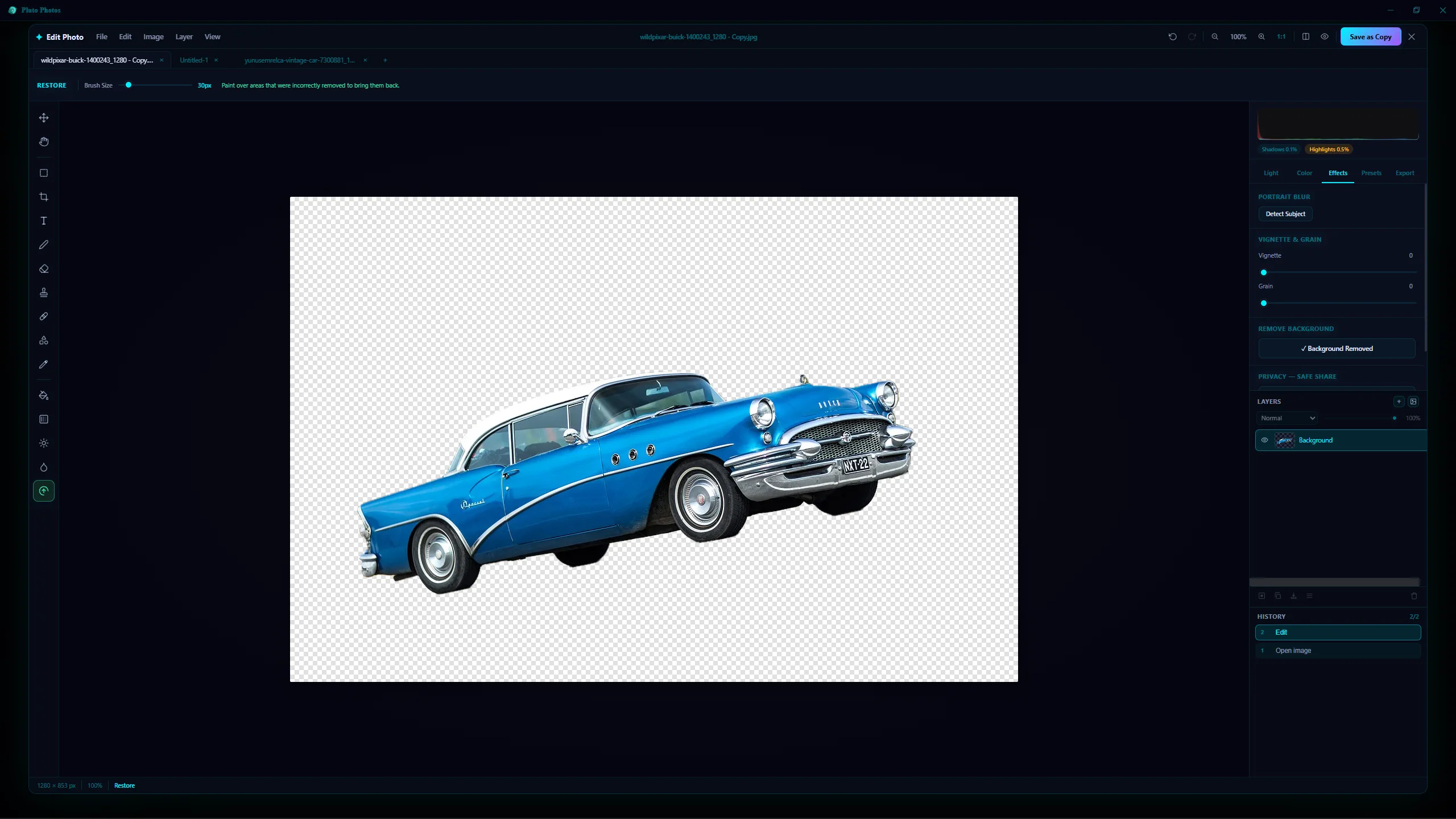
Pluto Photos bundles a background removal model directly in the app: one click, processed locally, a transparent PNG out the other end in 2–5 seconds on a modern CPU, with nothing uploaded or downloaded in between. Quality lands in the same range as remove.bg on typical products, with the same caveats on hair and transparency that apply to any AI cutout tool, the difference isn't the quality ceiling, it's what it costs to get there. It's a $29 one-time purchase covering unlimited images after that, and because everything runs on your own machine, nothing about the images themselves ever leaves it. That combination, no per-image fee, no upload, is what makes it the practical choice for high-volume product photography or anything genuinely sensitive.
The cost math at scale
| Volume / month | Photoshop | remove.bg | Pluto Photos |
|---|---|---|---|
| 50 images | $20/mo | $9/mo | $29 once |
| 500 images | $20/mo | $40/mo | $29 once |
| 5,000 images | $20/mo | $250/mo | $29 once |
Year 1 at 500 images/month:
- Photoshop: $240
- remove.bg: $480
- Pluto Photos: $29
For high-volume e-commerce, the local AI approach pays for itself in less than a month and keeps paying for itself forever.
Recommendation by use case
- Hero shot for a campaign, hair detail matters: Photoshop
- One-off design asset: Whatever you already have open
- 20–50 product photos for a listing: Online tool, you'll be done in 5 minutes
- Hundreds or thousands of products on a recurring basis: Pluto Photos
- Anything sensitive (unreleased products, NDA, contracts forbidding cloud upload): Pluto Photos
Try Pluto Photos: background removal is a Pro feature, and the free 30-day Pro trial lets you run it on your own product photos to verify quality before paying anything.