
Search Your Photos by Describing Them.
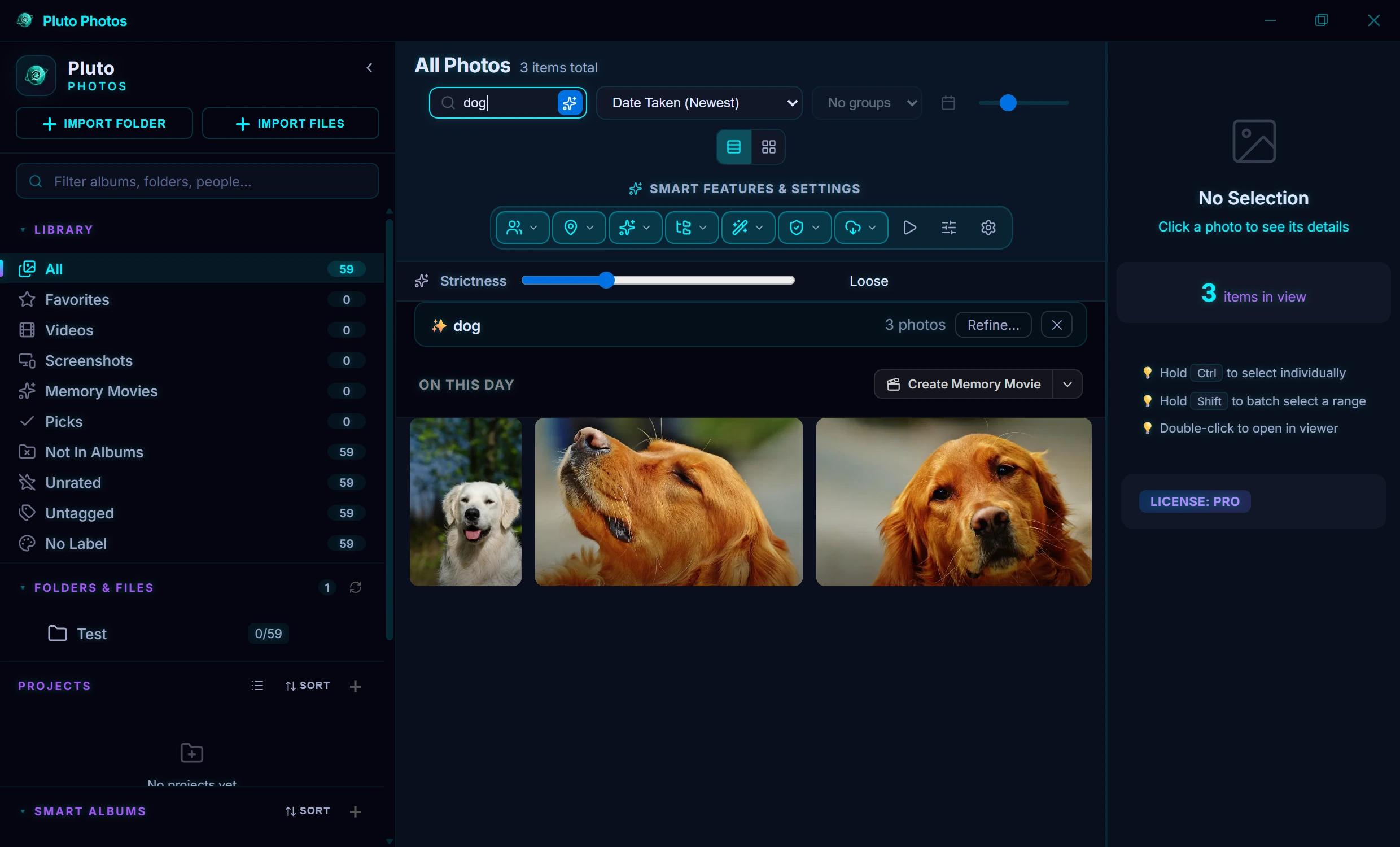
Type what you are looking for in plain words, "dog on a beach", "birthday cake", "dogs without people", and Pluto Photos finds matching photos in your library. It runs on your own computer, so nothing is uploaded.
- 100%On your computer, nothing uploaded
- ~30 minTo scan 20,000 photos on a recommended PC
- 8×Faster descriptions with a graphics card (optional, Windows)
- 0Accounts or API keys needed
Type it like you'd say it
"dog on a beach" or "birthday cake": no tags to maintain, no folders to remember.
Finds text inside photos
Receipts, signs and screenshots are found by the words and numbers in them.
Ranked by how well they match
The best matches come first, and a slider lets you make the search stricter or looser.
Works with the network off
No internet connection required: search on a plane, in a cabin, anywhere.
Nothing ever uploaded
Unlike Google or Apple Photos, the AI runs on your computer. Your photos are never sent anywhere for analysis.
Describe It, Find It
Turn on Contextual Search with the sparkle button next to the search box, then type what you remember: "dog on a beach", "birthday cake", "red car". Pluto Photos looks at what is in your photos, so the words do not have to be in the file name or in any tag.
- Ranked by how well they match, with a slider to make the search stricter or looser
- Everyday requests work: "dogs without people", "videos from last summer", "screenshots"
- Finds the words and numbers inside photos too, such as receipts, signs and screenshots
- Each result says why it matched: it looks like your description, or a written description or the text in the photo matched
- Save a search as a Smart Album when you want it to keep updating as photos arrive
A Scanner That Keeps Up
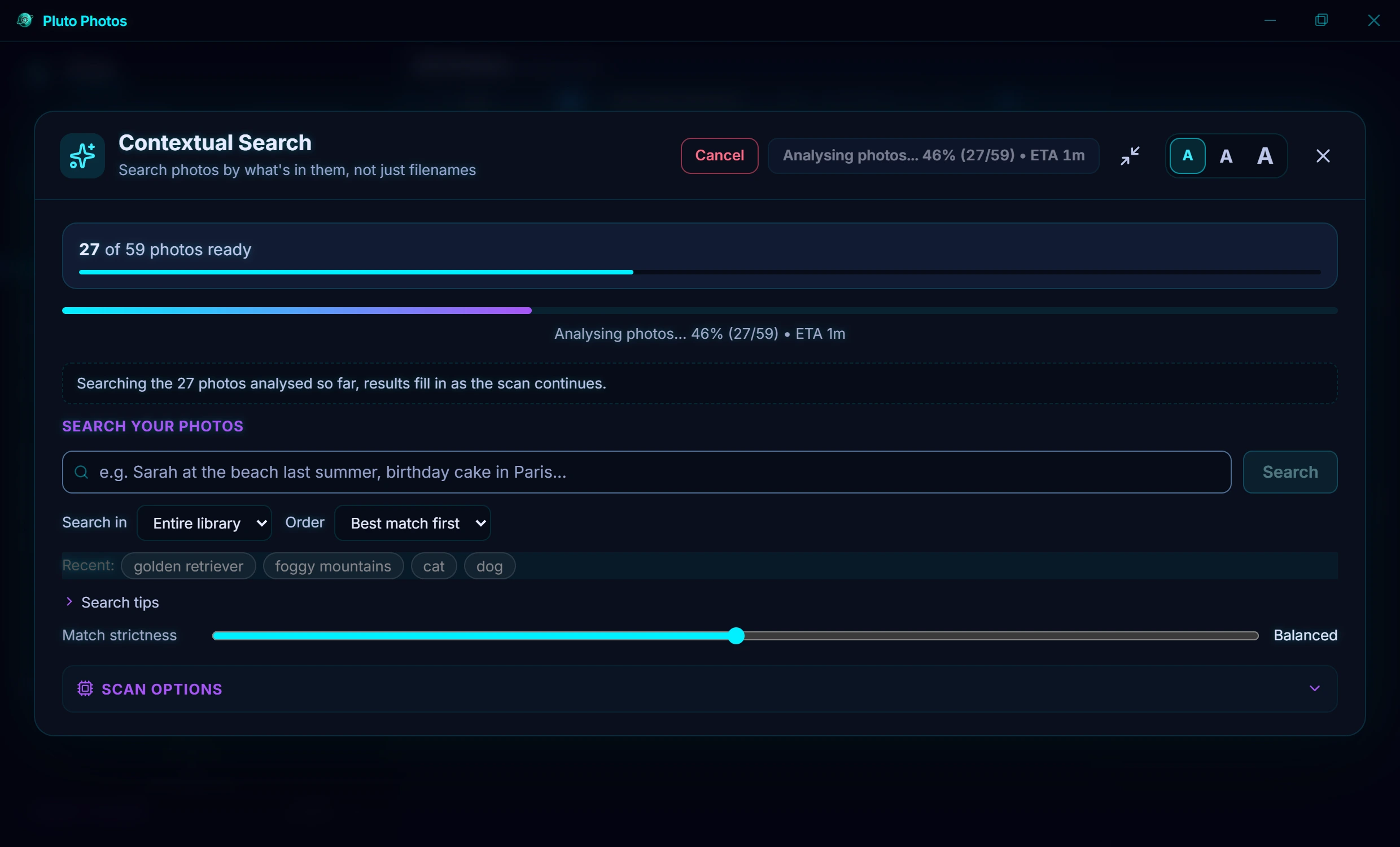
Before you can search, Pluto Photos prepares your photos once. It runs quietly in the background, pauses while you use your computer, and picks up new photos on its own.
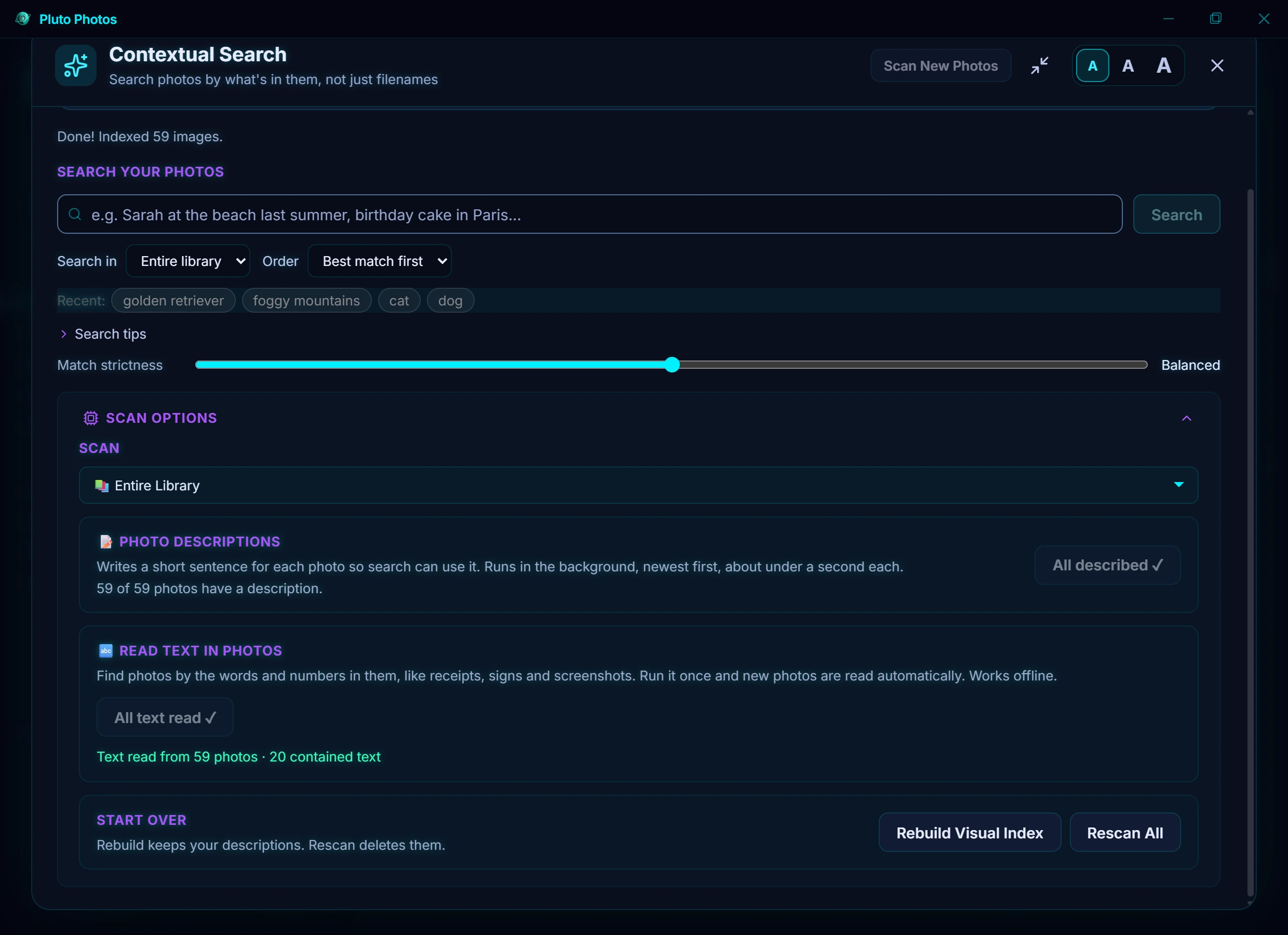
- Choose what to scan: your whole library, one album or one folder, with a time estimate before you start
- Photo descriptions (optional): a short sentence for each photo. On Windows with a graphics card they are written about 8 times faster
- Read text in photos (optional): works offline, and new photos are read automatically afterwards
- Reliable: photos that could not be read the first time are tried again, and Rescan All asks before it deletes anything
Private by Design
Google Photos, Apple Photos and Amazon Photos send your images to remote servers for AI analysis. Pluto Photos does the work on your own computer. The AI models are downloaded once when you install and never send anything back:
- No internet connection required: search on a plane, in a cabin, anywhere
- No data ever sent to third parties: your photos are never uploaded for analysis
- No accounts or API keys: the AI runs locally
What It Needs
Scanning is processor-heavy work, so the computer matters. On a recommended computer a library of 20,000 photos is ready to search in about half an hour; on a minimum computer expect several hours, running in the background. A graphics card is not required, but it makes the optional photo descriptions much faster on Windows. See the system requirements for the minimum and recommended computer.
Technical details
- Search model: CLIP ViT-B/32, about 150 MB, downloaded once with the other AI models
- Descriptions: SmolVLM2-500M, a vision-language model, about 490 MB; on Windows an optional faster engine uses your graphics card
- Measured on a 2019 six-core desktop; thin laptops are usually slower
- Part of Pluto Photos Pro. Descriptions, text and search data are stored in your local library database
Frequently Asked Questions
Does Contextual Search work on my older laptop?
Yes, if it meets the minimum requirements (a 4-core processor from 2018 or newer, 8 GB of memory and an SSD), but the first scan can take several hours. On a recommended computer a 20,000-photo library is ready in about half an hour. The free 30-day trial lets you test it on your own computer first.
Do I need a graphics card?
No. Search and scanning run on the processor. A graphics card only makes the optional photo descriptions about 8 times faster on Windows.
Can it find text inside photos?
Yes. Run "Read text in photos" once and it finds receipts, signs and screenshots by the words and numbers in them. New photos are read automatically afterwards, and it works offline.
Are my photos uploaded anywhere?
No. Everything runs on your own computer and works with the internet off.
Try AI Contextual Search in Pluto Photos
Download free for Windows, macOS, or Linux. AI Contextual Search is available in the Pro tier.