
Photo Organizer for Linux
Pluto Photos runs natively on Linux as a desktop app, with the same local-first design as on Windows and Mac, and your library reachable from a browser on any device on your network.
- AppImage + .debno distro-specific build required
- 100%local, no cloud account
- LANbrowser access from any device
Two Ways to Install It on Linux
As a normal desktop app: download the AppImage (works on effectively any distro without installing anything) or the .deb package (installs the seven AI model packs during setup via apt's post-install hook)..
Browse From Any Device Without Installing Anything
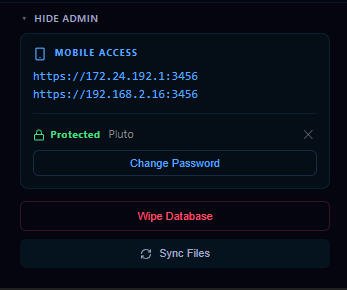
The companion browser is a full web UI, not a stripped-down mobile view. It's how you'd reach your library from a Windows laptop or a Chromebook without installing the desktop app there too. Combined with the mobile companion app, a phone can back up photos straight to the same library, at home, or away from it with remote access switched on.
The Same Features as Windows and Mac
Nothing is cut down for Linux. AI face detection, contextual search, the duplicate finder, smart albums and the full photo and video editors all run the same way they do on Windows and Mac. It's the same codebase and the same local-first design, not a lighter Linux build.
Your Library, Your Server
For a Linux and self-hosting audience, the appeal is usually control as much as privacy: the library lives in a folder or volume you chose, in a format you can back up however you already back up the rest of that machine, with no vendor deciding later that the free tier shrinks or the API changes.
Frequently Asked Questions
What Linux formats are available?
An AppImage (portable, works across distros without installing) and a .deb package for Debian-based systems.
Can I browse my library from another device?
Yes. The companion browser serves your library to any browser on your network, so you can reach it from a laptop, tablet or phone without installing anything there.
Try it before you decide
Free up to 500 photos, no account needed. Windows, macOS and Linux. Pro is $29, once.